How to Add Google Analytics to Hugo Site
This tutorial will show you how to add Google Analytics to Hugo site.
Introduction
Google Analytics is needed when we want to get some figure about our website such as pageview number, visitor’s countries, etc.
Requirements
This tutorial is based on ghostwriter theme. However, it doesn’t matter if you use other theme. You can follow How to Create Hugo Site tutorial if you still don’t have Hugo site.
Add Google Analytics Internal Template
Please add Google Analytics Internal Template in the file that contains <head> tag where metadata is set inside.
In ghostwriter theme, the file is located at themes/ghostwriter/layouts/partials/header.html. At this point, it is up to you whether you want to change directly in theme’s header.html or in layout folder inside root directory.
The latter is the recommended way thus you should override header.html by copying it from theme’s folder to my-hugo-site/layouts/partials/header.html where you add the internal template assuming my-hugo-site is your root directory.
There are two versions of template that can be used:
- AsynchronousUse this if most of the users use modern browsers because it will be able to preload the script.
{{ template "_internal/google_analytics_async.html" . }} - SynchronousUse this if you have concern of your users still using old browser such as
{{ template "_internal/google_analytics.html" . }}Internet Explorer.
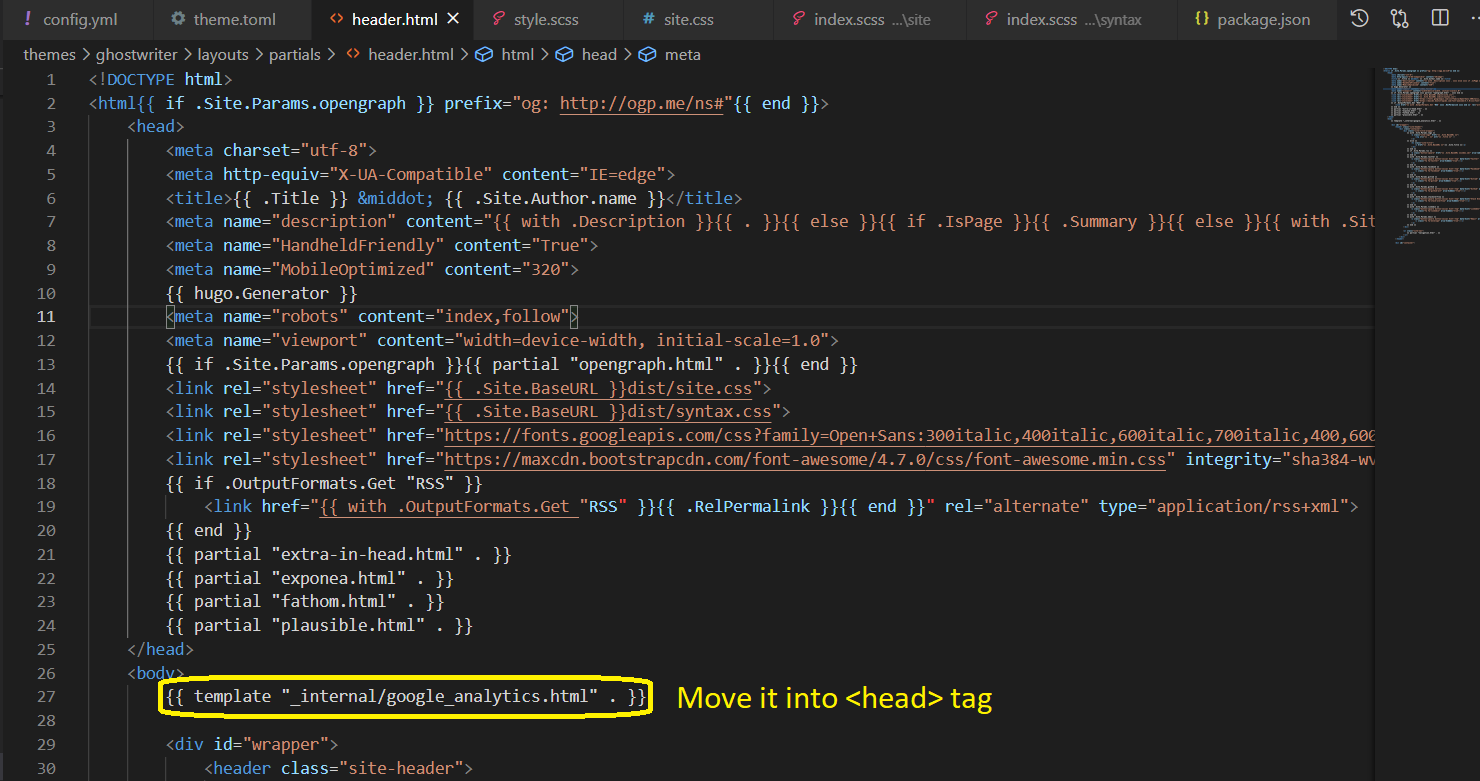
Existing ghostwriter theme has Synchronous template inside <body> tag which is wrong. Please move it into <head> tag then you can choose which template version you want to use.
Add Google Analytics Tracking Id
Please add Google Analytics Tracking Id on config file (config.yml, config.toml, or config.json) using googleAnalytics tag.
googleAnalytics: "GA_TRACKING_ID"
You can get GA_TRACKING_ID from Google Analytics Setup Assistant.
Result
After deployment, you will find the script is injected inside <head> tag.
Conclusion
Congratulations! By integrating your website with Google Analytics, you will be able to get some important figure about your site.