How to Restart Service on Remote Computer Using PowerShell
Problem
In this blog post, we will walk you through how to restart service on remote computer using PowerShell.
Solution
To connect to remote computer, we can use Enter-PSSession that will create interactive session or Invoke-Command which is not interactive.
In this context, we have two computers named vm1 and vm2 respectively. The client will be vm1 and we want to restart wuauserv service in vm2. This service is responsible for automatically download and install Windows update.
Since the computers are not in the same domain, we should use Windows Remote Management (WinRM) for remote communication or remoting.
Below are several prerequisites to use WinRM for remote communication:
- Enable Windows Remote Management (WinRM) service on both computers
Set-Service -Name WinRM -Status Running -StartupType Automatic
- Add servers we want to connect to
TrustedHostslist on client computer
Set-Item -Path WSMan:\localhost\Client\TrustedHosts -Value 'vm2'
- Enable firewall rule for WinRM to allow other IPs to connect
Set-NetFirewallRule -Name 'WINRM-HTTP-In-TCP' -RemoteAddress Any
Enable-NetFirewallRule -Name 'WINRM-HTTP-In-TCP'
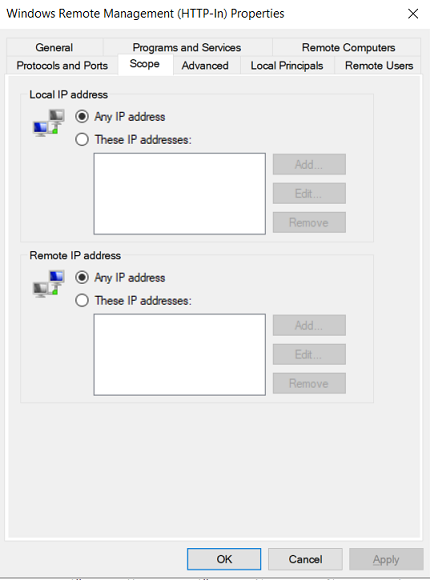
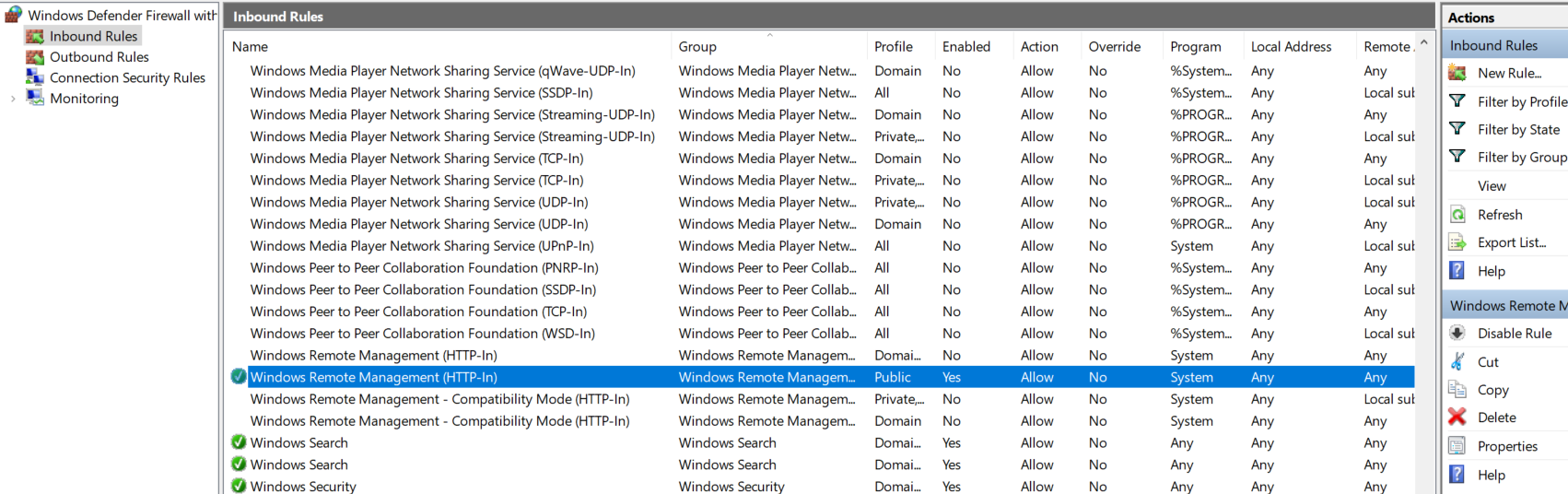
Or you can also do it manually:
1. Open Windows Defender Firewall with Advanced Security
2. Click Inbound Rules
3. Double-click Windows Remote Management (HTTP-In) for the Public profile
4. Click the Scope tab
5. Under Remote IP address, set it to `Any IP Address`
6. Enable Rule
Using Enter-PSSession cmdlet
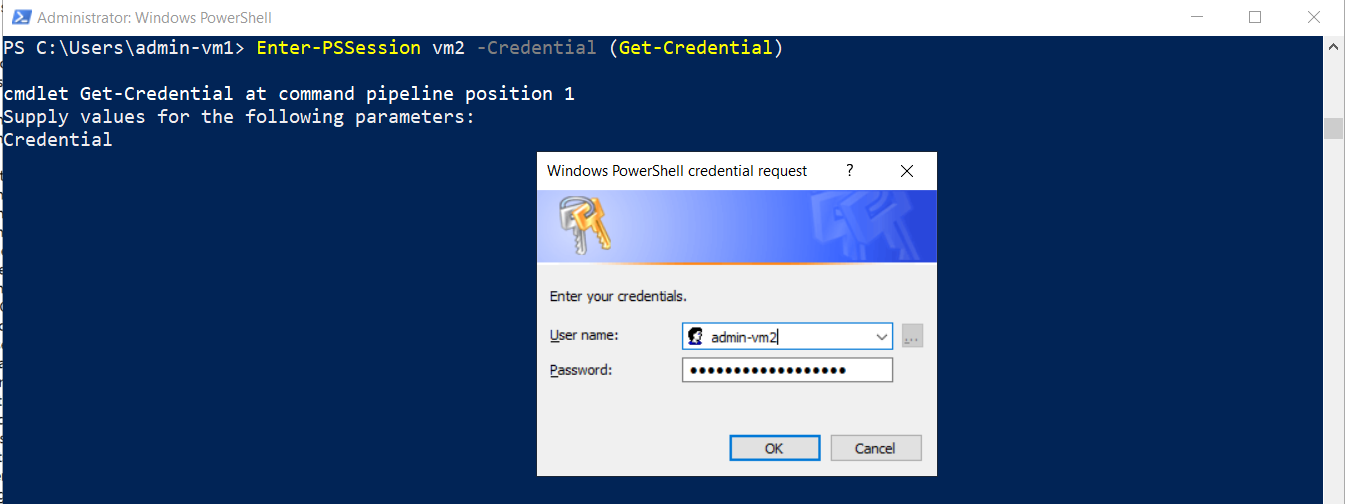
To create session to remote computer, we can use Enter-PSSession and specify the computer name we want to connect as well as the credential (username and password). After connected, we can run Restart-Service command. Then to close the session, we use Exit-PSSession cmdlet.
Enter-PSSession vm2 -Credential (Get-Credential)

Restart-Service -Name wuauserv

Exit-PSSession

Using Invoke-Command cmdlet
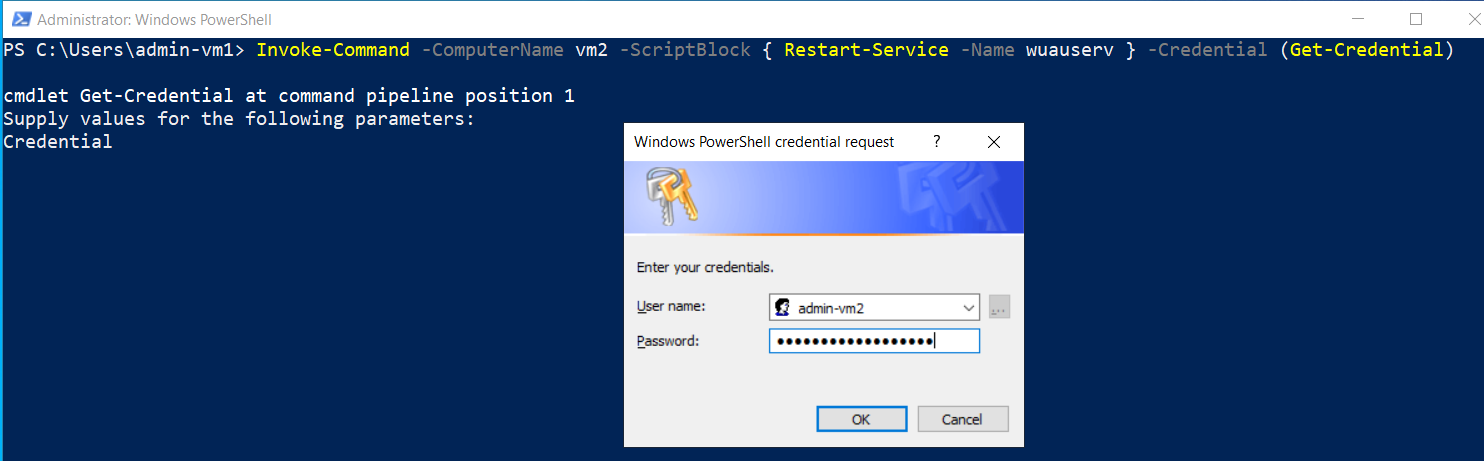
With this cmdlet, you are still able to restart service on remote computer but you won’t have interactive session. The commands will be executed in one go in a ScriptBlock.
Invoke-Command -ComputerName vm2 -ScriptBlock { Restart-Service -Name wuauserv } -Credential (Get-Credential)
You still have to enter credential before the ScriptBlock is executed.

Conclusion
Before restarting the service on remote computer, we need to establish connection to remote computer (remoting). If the computers are not in the same domain, we should use Windows Remote Management (WinRM). Then, we can use Enter-PSSession or Invoke-Command combined with Restart-Service to restart the service on remote computer.